Survey question types: Examples and pro tips
Effective surveys start with clear, well-structured survey questions. Knowing the main types of survey questions helps you choose the right answer options and capture the insights that matter.
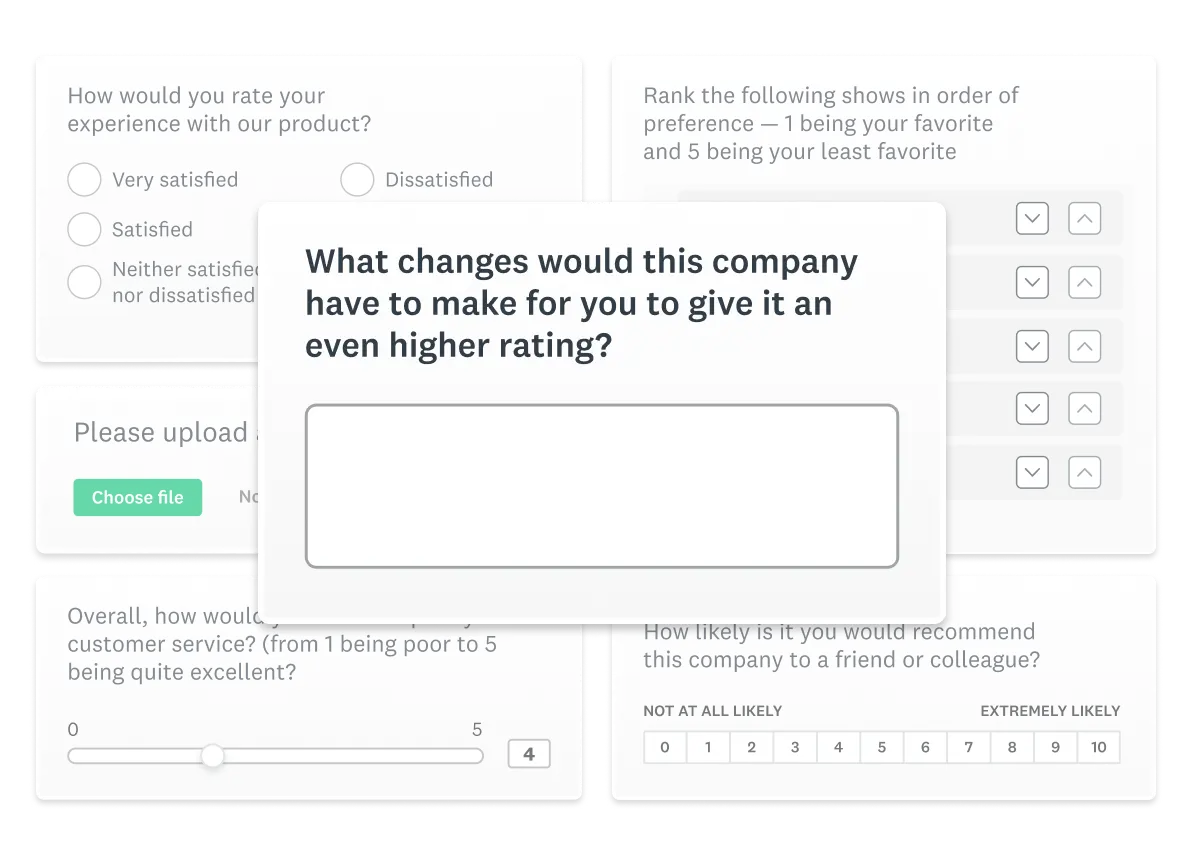
Survey questions shape the data you collect, the insights you uncover, and the decisions you can make from your survey questionnaire. The way each question is structured, from the answer options you offer to the response scales you choose, directly affects accuracy, comparability, and the overall respondent experience.
Different survey question types provide different kinds of value. Multiple choice questions make patterns easy to quantify, rating scales capture intensity, Likert scales reveal attitudes, and open-ended prompts surface context you can’t get from fixed choices. Each format also has trade-offs, including effort, mobile performance, and the potential for bias introduced through unclear wording or imbalanced options.
Types of survey questions
Creating an effective survey questionnaire involves selecting the right types of questions to gather the data you need. Below is a snapshot of the most commonly used survey question types and when to use them.
| Type | When to use | Example | Watch out for | SurveyMonkey feature |
| Multiple choice | Quantifying responses, simplifying analysis, and enabling easy comparison | “Which channel did you use most recently?” (Email, Chat, Phone, Other) | Forced choice without an Other (please specify) option; too many choices | Question Bank suggestions and fast charts |
| Rating scale | Measuring intensity of opinions, attitudes, or behaviors | “Rate your satisfaction from 1–5.” | Unlabeled endpoints; midpoint confusion | Templates with pre-labeled scales; benchmark-ready items where available |
| Likert scale | Gauging attitudes across a spectrum | “I trust this brand.” (Strongly disagree → Strongly agree) | Double-barreled questions; unbalanced wording | AI-assisted design to refine statements |
| Matrix | Evaluating multiple items with the same response options | “Rate each feature.” (Ease of use, Speed, Reliability) | Long grids on mobile; too many rows/columns | Mobile preview and pagination; convert to single items with AI suggestions |
| Dropdown | Presenting a long list compactly | “Select your country.” | Hidden options reduce scanability; inconsistent labels | Templates with prebuilt lists (countries, states) |
| Open-ended | Collecting detailed, qualitative feedback | “What can we do to improve your experience?” | Harder to quantify; higher effort needed | AI insights and text analysis for themes and sentiment |
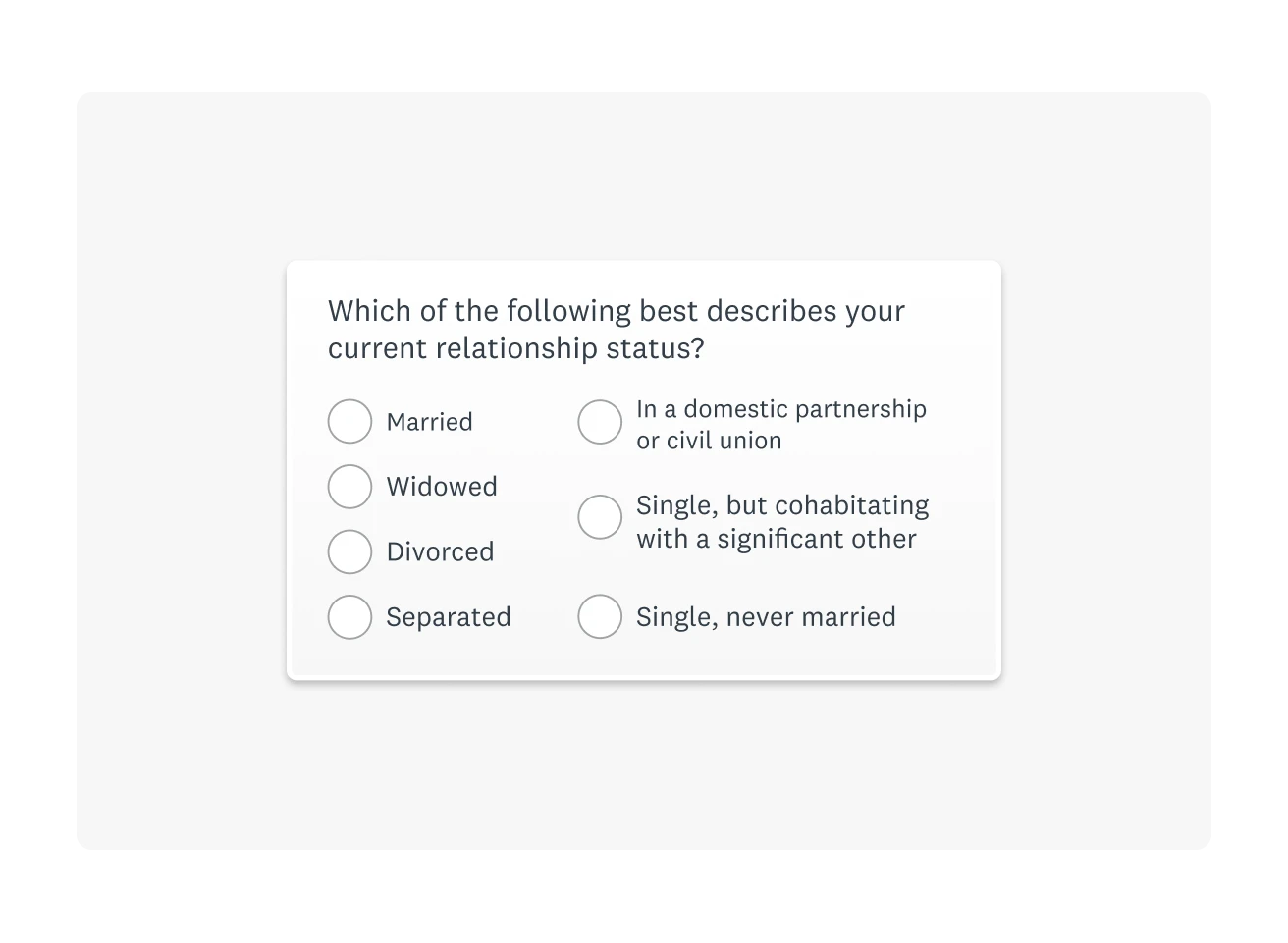
| Demographic | Segmenting results by attributes | “Which age range best describes you?” | Asking more than you need; unclear or non-inclusive options | Question Bank for inclusive phrasing; logic to skip inapplicable items |
| Ranking | Understanding preferences and relative importance | “Rank these features from most to least important.” | Higher effort; respondents must know all items | Drag-and-drop ranking and clear visualizations |
| Image choice | Testing visual preferences | “Which logo feels most modern?” | Missing alt text; large files slowing load speed | Image choice question type in templates; alt text field |
| Click map | Getting location-based feedback on an image | “Click where your eye goes first on this ad.” | Ambiguous prompts; cluttered images | Click map with heatmap output for quick reads |
| File upload | Gathering supporting materials | “Upload a resume or work sample.” | Allowed types and size not specified; privacy concerns | File upload with format and size controls; secure collection |
| Slider | Measuring on a continuous scale | “Drag to set likelihood from 0–100.” | Unclear scale meaning; no snap points | Slider with labeled anchors and optional steps |
| Dichotomous | Getting quick yes/no or agree/disagree answers | “Did the agent resolve your issue?” | Oversimplifying nuanced topics | Logic to route follow-ups based on yes/no |
| Benchmarkable | Comparing results to external norms | “How likely are you to recommend us?” | Mixing non-benchmarkable wording with benchmark items | Benchmarks and Question Bank indicators for comparable questions |
Keep reading for a more in-depth exploration of these common types of survey questions and how they can be effectively used to gather valuable feedback. You’ll find out how features like our Question Bank, benchmarks, templates, and AI-assisted design and insights help you build smarter and faster.
Multiple choice questions
What are multiple choice questions?
Multiple choice survey questions are a form of assessment where respondents select one or more predefined answer options, making them one of the most common and reliable types of survey questions. They’re quick to answer, easy to understand, and produce structured survey answers you can compare across respondents.
When to use single-answer vs. multiple-answer
Single-answer multiple choice questions use radio buttons and guide respondents to one definitive pick. They work well for binary questions, rating categories, and nominal classifications where only one response applies.

Multiple-answer questions use checkboxes to let respondents select all that apply. Choose this format when behaviors or preferences naturally include more than one option. For example:
“Which channel did you use most recently?”
- Chat
- Phone
- Other (please specify)
Limitations of multiple choice questions
Because multiple choice questions rely on fixed response options, they can introduce bias if the choices are incomplete, unclear, or unbalanced. Watch for:
- Missing an Other (please specify) option
- Too many response options
- Overlapping or inconsistent survey choices
- Uneven categories that steer respondents toward a particular answer
Rating scale questions
What are rating scale questions?
Rating scale questions are close-ended survey questions that ask respondents to choose a point on a numeric or labeled scale to measure intensity, satisfaction, or likelihood. These scales make it easy to quantify attitudes, compare responses, and track changes over time across your survey questionnaire.
Examples of rating scale questions
Rating scales often use familiar numeric ranges, such as 1–5 satisfaction ratings or 0–10 likelihood scores. For instance, a satisfaction rating might ask:
“How satisfied were you with your experience?”
- 1 = Very dissatisfied
- 5 = Very satisfied
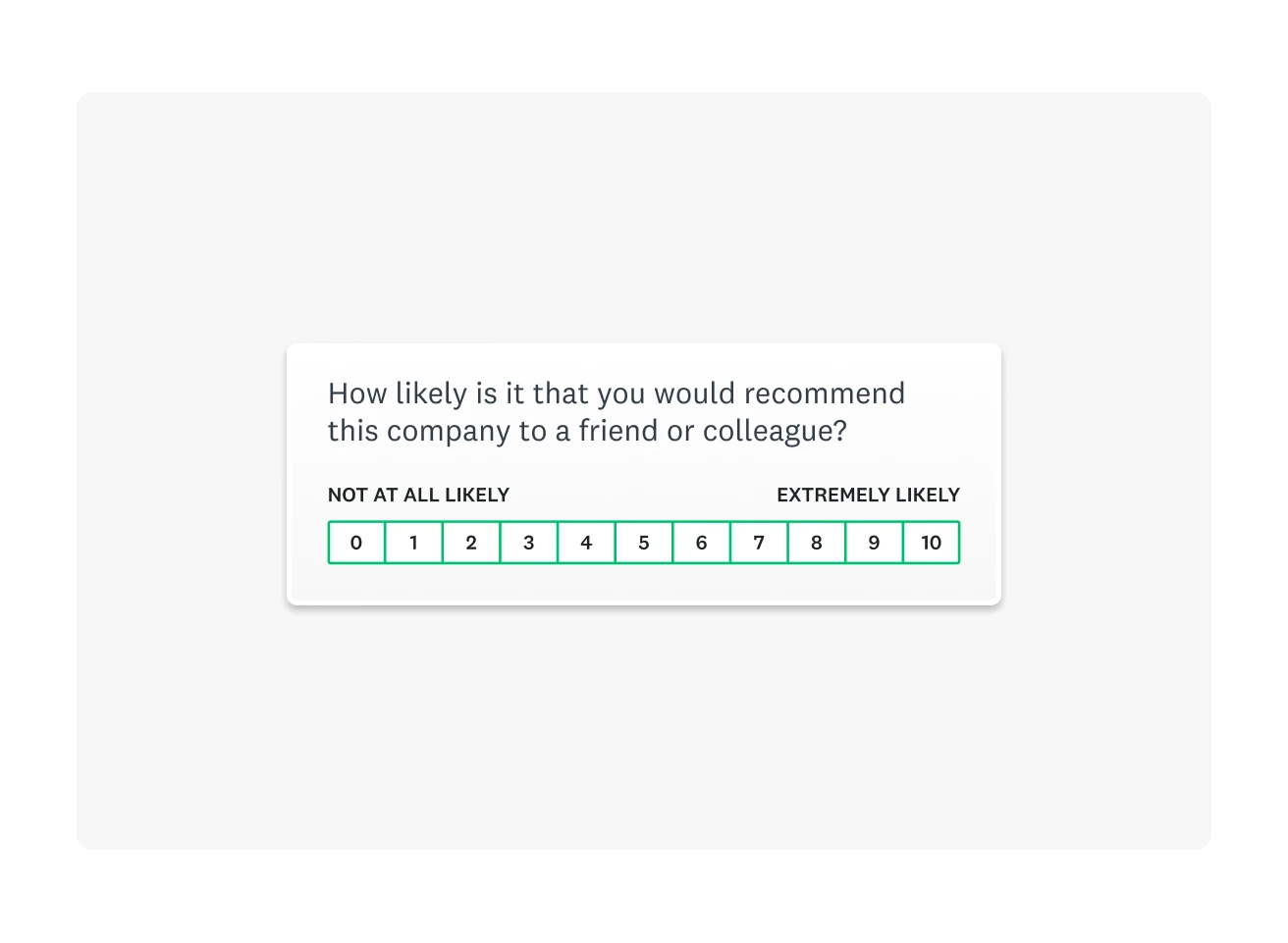
A well-known example is the Net Promoter Score (NPS®) question, which uses a 0–10 numeric scale to measure how likely someone is to recommend a product or service.
Tips for crafting effective rating scale questions
- Label your anchors. Clear endpoints (e.g., 0 = “Not at all likely,” 10 = “Extremely likely”) prevent midpoint confusion and reduce interpretation bias.
- Choose point ranges intentionally. A 5- or 7-point numeric scale works well for satisfaction ratings, while a broader scale like 0–10 captures more nuance.
- Give context. Brief prompts help respondents understand what the numbers represent.
- Use rating vs. Likert thoughtfully. Rating scales capture intensity on a numeric continuum, while Likert scales measure agreement using labeled categories.
- Start with strong templates. SurveyMonkey offers pre-labeled rating questions and benchmark-ready items to make setup and analysis faster.
Likert scale survey questions
What are Likert scale questions?
Likert scale survey questions are a type of survey question that measures levels of agreement, frequency, or sentiment using a labeled, evenly spaced scale. They help you understand how strongly respondents feel about a statement, making them one of the most widely used formats in online survey questions.
Examples of Likert scale questions
Likert scales use consistent labels across each point on the scale. Common formats include:
- Agreement: Strongly disagree → Strongly agree
- Frequency: Never → Always
- Likelihood: Not at all likely → Extremely likely
For example, employee surveys often ask respondents to rate statements related to their workplace.

Likert vs. rating scale vs. multiple choice
- Likert scale vs. rating scale: A Likert scale uses labeled categories (e.g., “Agree”), while a numeric rating scale uses numbers to measure intensity (e.g., 1–10 satisfaction rating).
- Likert scale vs. multiple choice: Multiple choice survey questions classify respondents into distinct answer options, while Likert scales show degrees of agreement or frequency to capture nuance.
What to avoid with Likert scale questions
- Double-barreled statements (e.g., “My manager communicates clearly and supports my growth”).
- Loaded or leading phrasing that nudges respondents toward a specific sentiment.
- Inconsistent or uneven labels that make the scale hard to interpret.
Related reading: Likert scale survey questions, examples, & mistakes to avoid
Matrix questions
What are matrix questions?
Matrix questions are a type of survey question that groups similar items under shared response options so respondents can compare them side by side. They’re useful when you want to compare attitudes, satisfaction ratings, or behaviors across multiple statements in a single, structured grid.
When to use matrix questions
A series of Likert scale questions or a series of rating scale questions can work well as a matrix question.

Tips for crafting effective matrix questions
Matrix questions can simplify your survey questionnaire, but they must be used thoughtfully to stay clear and accessible:
- Keep matrices small. Aim for fewer than six rows and five columns to avoid excessive scrolling on mobile devices. For example, the survey below can prove overwhelming and even confusing.
- Prioritize mobile readability. Preview your matrix in SurveyMonkey’s mobile view to ensure labels and tap areas are easy to navigate.
- Break up long grids. If the matrix becomes too dense, convert items into sequential single questions or paginate the section with a progress bar.
- Use alternatives when needed. Dropdowns or multiple choice questions may work better when a side-by-side comparison isn’t essential.
Dropdown questions
What are dropdown questions?
Dropdown survey questions is a survey question type that presents a long list of answer options in a compact, scrollable menu, helping respondents navigate lengthy choices without feeling overwhelmed. They’re especially useful in survey questionnaire design when you need to present many response options without cluttering the page.
Example of a dropdown question
“What’s your age?”
A dropdown keeps an age range list, such as Under 18, 18–24, 25–34, and so on, compact and easy to scan, giving respondents a clear, accessible way to choose the option that best reflects them.

When to use dropdown questions
Dropdowns work well when:
- The list is long (e.g., countries, job titles, departments).
- Alphabetical order improves scannability. A sorted list helps respondents quickly locate their answer.
- Mobile usability matters. Dropdowns reduce visual clutter on small screens and make long lists easier to manage.
However, if context matters, such as comparing a few response options at a glance, a multiple choice question may be better. Showing all choices can help respondents make quicker, more confident selections.
Open-ended questions
What are open-ended questions?
Open-ended survey questions are a survey question that asks respondents to answer in their own words, revealing context you can’t capture with fixed answer choices. These text box questions are valuable for collecting qualitative data, uncovering motivations, and capturing survey comments that add nuance to your analysis.
Advantages and limitations of open-ended questions
Open-ended responses provide detail and depth, offering insight into what respondents think and why. They’re especially helpful for discovery: surfacing ideas, issues, or opportunities you may not have anticipated.
However, written survey answers take longer to analyze and can contribute to survey fatigue if used too often. Because the data is unstructured, open-ended questions are less suited for metrics or trend tracking.

Tips for crafting effective open-ended questions
- Pair with a closed-ended item. A rating question followed by an open text prompt helps you understand the “why.” For example, “What is the main reason for your score?”
- Keep prompts focused. Narrow questions produce clearer, more actionable responses.
- Use sparingly. Add open text where context truly matters; avoid overusing them in long survey questionnaire design.
- Make them optional. Optional text boxes reduce friction and minimize drop-off.
Demographic questions
What are demographic questions?
Demographic survey questions collect background information such as age, gender, education, or location to help you segment your results and understand differences across groups. When used thoughtfully, these questions add essential context to your survey questionnaire and make your insights more precise and actionable.
Best practices for demographic questions
Keep demographic answer options clear, inclusive, and directly tied to how you plan to analyze your data. To support accessibility and respondent comfort:
- Let respondents opt-out. Offer a “Prefer not to answer” option.
- Be cognizant of offensive or exclusive language. Use people-first language and inclusive answer options.
- Recognize mixed demographics. Allow multi-select when identities or roles are not singular.
- Be mindful of placement. Place demographic items near the end of your survey to reduce drop-off.
- State your “why.” For sensitive items, briefly explain why you’re asking to build trust and encourage accurate responses.
Examples of demographic survey questions
Demographic questions commonly ask for:
- Age: “What’s your age?” with age ranges (e.g., Under 18, 18–24, 25–34, 35–44).
- Gender identity: options that include nonbinary and self-describe fields.
- Location: structured as country → state/province → city for consistent analysis.
- Education level: highest degree or level completed.
- Industry or occupation: job role, department, or employment status.
- Household information: household size or income brackets.
Ranking questions
What are ranking questions?
Ranking survey questions ask respondents to order items by preference, helping you understand not just what people like but the relative importance of each option. This format reveals trade-offs that multiple choice or rating scale questions may not capture, making ranking questions useful when you need clear priority data in your survey questionnaire.
When to use ranking questions
Ranking questions work best when respondents are familiar with every item in the list and can compare them meaningfully. Because ranking requires more effort than selecting a single answer, keep lists short, clear, and easy to scan. Use ranking when you want to understand:
- Which product features matter most
- How respondents prioritize benefits or services
- Preferences among known options (e.g., content types, channels, or formats)
If respondents may not recognize all items, or if a simpler format will suffice, consider using a multiple choice or rating scale question instead. For instance, in the question below, respondents need to be familiar with each TV show before they can compare them.
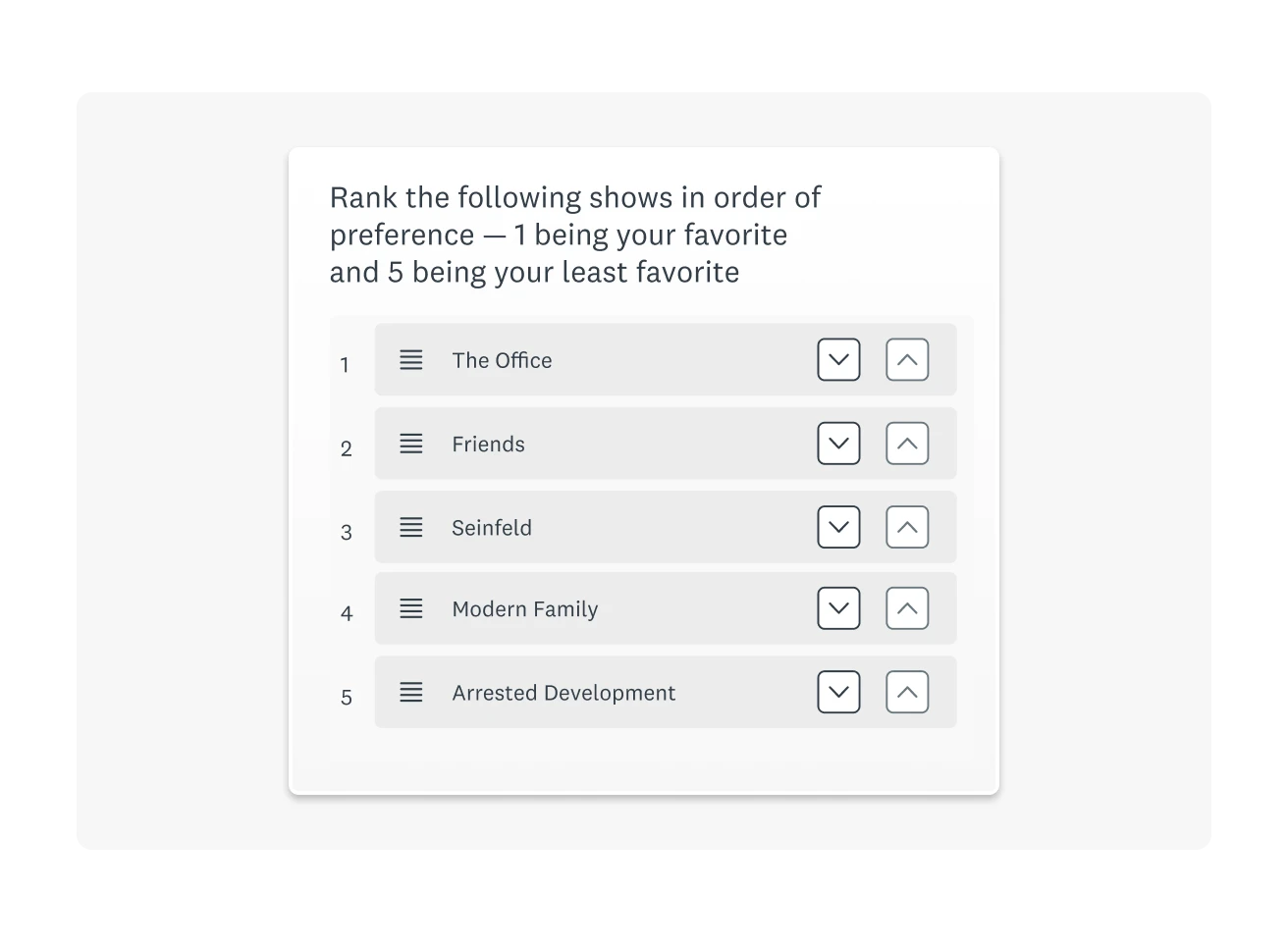
Image choice survey questions
What are image choice questions?
Image choice survey questions are a type of survey question that use images as answer options, making them ideal for visual surveys where respondents need to compare designs, ads, logos, or product concepts. This format supports quick preference checks and concept testing, especially when visual qualities matter more than text descriptions.

Tips for using image choice questions
- Label images clearly. Short, descriptive labels help respondents understand what they’re comparing.
- Keep files mobile-friendly. Large images can slow loading and create accessibility issues on smaller screens.
- Include alt text. Alt text improves accessibility and ensures all respondents can engage with your survey content.
Click map survey questions
What are click map questions?
Click map survey questions are a type of survey question that asks respondents to click on a specific area of an image, such as a webpage, product mockup, or shelf layout. This question type helps you identify attention hotspots, intuitive navigation paths, and visual elements that stand out at first glance.
Example of a click map question
“Click the part of this webpage that draws your attention first.”
Tips for effective click map questions
- Write a clear, single-action prompt. For example: “Click where you’d tap first.”
- Avoid clutter. Simple, focused images yield better insights.
- Make tappable areas large enough for mobile devices.
- Add alt text and optimize image size to support accessibility.
File upload survey questions
What are file upload questions?
File upload survey questions are a type of survey question that allows respondents to attach documents or images directly within your survey, such as resumes, headshots, IDs, or supporting materials. This question type is useful when you need files to verify information, collect submissions, or support an application or intake process.

Best practices for file upload questions
- Request only what you need. To support privacy and reduce friction, avoid asking for sensitive documents unless they’re essential.
- Explain why you’re collecting files. A brief note builds trust and helps respondents decide what to provide.
- Set clear parameters. SurveyMonkey lets you define allowed file types (PDF, PNG/JPG, DOC/DOCX) and maximum upload size.
- Keep storage organized. Files can be downloaded individually or in bulk for review.
Slider survey questions
What are slider questions?
Slider survey questions a type of survey question that lets respondents rate something along a continuous numerical scale by dragging a marker to the point that best reflects their view. This format is interactive and intuitive, making it a useful way to measure sentiment, likelihood, or intensity within your survey questionnaire.
Examples of slider questions
“How likely are you to try this feature again?”
- 0 = Not at all likely
- 100 = Extremely likely

Tips for creating effective slider questions
- Label your endpoints. Clear anchors reduce ambiguity and help respondents interpret the scale.
- Use snap points (e.g., increments of 5 or 10) when you need more precise comparisons across responses.
- Choose sliders over multiple choice or rating scales when you want a broader range of possible values
Benchmarkable survey questions
What are benchmarkable questions?
Benchmarkable survey questions use standardized wording and scales so your results can be compared against external norms. These benchmark-ready items help you understand how your scores stack up against similar organizations, audiences, or industries, giving you clearer context for setting goals, tracking performance, and communicating results.
How benchmarkable questions work
Benchmarkable questions rely on consistent phrasing and response scales that have been asked widely enough to generate reliable comparison data. Because the wording is fixed, you can compare your results to aggregated norms from others who asked the same standardized question, whether you’re surveying employees, customers, or broader audiences.

A well-known example is the Net Promoter Score® (NPS®) question, which measures how likely someone is to recommend a product or service using a 0–10 scale.
How to find benchmark-ready items
SurveyMonkey highlights benchmarkable questions in the Question Bank and across curated survey templates. Look for the small bar chart icon to identify standardized items you can add without starting from scratch.
Dichotomous survey questions (Yes/no)
What are dichotomous questions?
Dichotomous survey questions are a type of close-ended survey question that present two choices, most commonly yes/no or agree/disagree, to collect clear, quick responses. They work best when you need a straightforward check within your survey questionnaire, such as confirming eligibility, capturing consent, or validating a specific action or condition.
Examples of dichotomous questions
“Did the representative resolve your issue?”
Yes
No

When to use dichotomous questions
Dichotomous questions keep things simple when:
- A binary choice is all you need
- You’re screening respondents (eligibility, device type, qualification criteria)
- You want to minimize effort and reduce respondent fatigue
Pitfalls with dichotomous questions
Because dichotomous questions offer only two response options, they can oversimplify experiences that may be more nuanced. If you need more detail, such as level of satisfaction, frequency, or intensity, consider switching to:
- A multiple choice question with a few clear categories
- A rating scale to capture degree or sentiment
- A brief open-ended follow-up for context
These alternatives preserve clarity while giving you more actionable insight.
Qualitative vs. quantitative survey questions
What are qualitative survey questions?
Qualitative survey questions are a type of open-ended survey question that gathers descriptive, narrative feedback in respondents’ own words. These open-ended prompts surface stories, opinions, and explanations that add depth and context you can’t capture with predefined answer options. The qualitative data you collect is typically textual, offering rich detail about perceptions, motivations, and experiences.
Examples of qualitative questions:
- “What do you think about our new product?”
- “Can you describe your experience with our customer service team?”
- “What’s the main reason you chose this rating?”
When to use qualitative questions
Use qualitative questions when you need context, discovery, or nuance—especially for attitudes, emotions, or experiences that can’t be summarized with a fixed set of choices. Keep in mind that qualitative feedback is harder to quantify and may not represent broader trends, so use these prompts sparingly to avoid survey fatigue.
What are quantitative survey questions?
Quantitative survey questions collect numerical or categorical data through structured answer options, such as rating scales, multiple choice questions, or yes/no responses. This format allows you to measure frequency, intensity, satisfaction, and other standardized metrics that can be statistically analyzed across your survey questionnaire.
Examples of quantitative questions:
- “On a scale of 1 to 10, how satisfied are you with our service?”
- “How many times per month do you use our product?”
- “Have you ever attended our events?”
When to use quantitative questions
Use quantitative questions when you need measurable results—especially for tracking patterns, comparing groups, benchmarking performance, or analyzing trends over time. The trade-off is that predefined answer options may limit nuance, so pair quantitative items with a focused open-ended follow-up when additional context would strengthen your analysis.
How to write good survey questions
Designing strong survey questions helps you gather clearer, more accurate data across your survey questionnaire. As you apply the different survey question types, keep these best practices in mind.
1. Use expertly designed survey questions
Start with questions that are already methodologically sound. Explore SurveyMonkey’s free, expert-designed survey templates built by in-house survey scientists, or pull ready-made items from the Question Bank. These resources help you choose unbiased response options, avoid common pitfalls, and build a survey that produces reliable insights.
2. Ask mobile-friendly questions
About six in ten people who take SurveyMonkey surveys in the US use a smartphone or tablet. A mobile-friendly survey keeps respondents engaged and reduces drop-off.
Checklist for mobile optimization:
- Use mostly multiple choice questions.
- Limit the number of questions per page.
- Keep your survey as short as possible.
- Require responses only for essential items.
- Use simple formatting and avoid space-heavy elements.
- Minimize images on small screens.
- Test your survey on different devices.
- Keep the survey URL short and easy to share.
3. Be clear and specific
Write questions that are straightforward and focused on one idea at a time. Avoid jargon, compound questions, or technical phrasing that can confuse respondents.
4. Avoid leading questions
Phrase questions neutrally so respondents can answer honestly. For example, instead of “How great was your experience with our customer service,” ask “How would you rate your experience with our customer service?”
5. Combine qualitative and quantitative questions
Pair structured formats like rating scales with focused open-ended prompts. This gives you measurable data along with context or explanations in respondents’ own words, improving the richness of your insights.
6. Get feedback before launching
Share your draft survey with colleagues or stakeholders who can help you spot unclear wording, missing answer options, or opportunities to simplify navigation. A quick review often improves quality and reduces respondent confusion.
7. Pretest your questions
Before you launch, pretest your survey with a small sample. Use their feedback to identify issues with comprehension, wording, or response options, then refine accordingly.
It helps to know which survey question type to use and when to apply it. Once you’re familiar with the main formats, you can focus on the decisions you need from respondents and design surveys that return more accurate, reliable data.
Related reading: Sample survey questions and examples
Get started free with expert-designed survey questions
SurveyMonkey helps teams build better surveys with expert-written questions, inclusive answer options, and AI-assisted design tools that make every survey questionnaire easier to create and analyze. With professionally crafted survey templates, a robust Question Bank, and access to sample survey questions across industries, you can move from an idea to a polished survey in minutes.
Whether you’re designing a customer satisfaction survey, an employee engagement pulse, or a market research study, SurveyMonkey gives you the structure and guidance to choose the right survey question types and gather clear, reliable data.
Get started free to explore templates, customize questions, and build a survey that delivers insights you can act on.

SurveyMonkey 101: Building your first survey
Join our free webinar and learn survey design fundamentals, AI-powered creation, and collaboration best practices.
NPS, Net Promoter & Net Promoter Score are registered trademarks of Satmetrix Systems, Inc., Bain & Company and Fred Reichheld.
Discover more resources

Solutions for your role
SurveyMonkey can help you do your job better. Discover how to make a bigger impact with winning strategies, products, experiences, and more.

Why are surveys important in research?
Surveys are important in research because they offer a flexible and dependable method of gathering crucial data. Learn more today.

NPS surveys: Best practices for high response rates
Learn NPS survey best practices to drive high response rates by improving survey processes.

23 ways to increase CSAT response rates
It's hard to improve your customer satisfaction scores without respondents. Get SurveyMonkey's best actionable tips to improve your response rate.