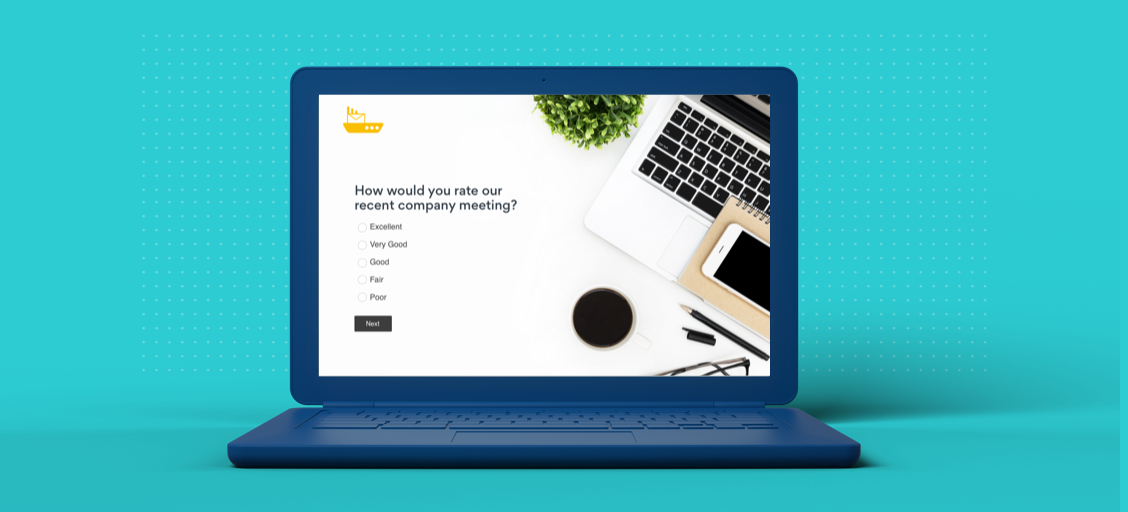
Good surveys are clear, engaging, and perfectly true to your brand. When every detail, from colors and fonts to logos and layouts, mirrors what your audience already recognizes, you build instant trust and recognition. Off-brand design is confusing; consistent, white-label design boosts completion rates.
What if you could deliver crisp, on-brand survey experiences in minutes?
With SurveyMonkey, you get fast theming, and higher-tier plans unlock advanced controls like a white-label URL, branded invitations, and custom end pages.
If you're ready to show up like your brand at every step—from the email invite to the completion page—this guide shows exactly what you can do today and what you'll unlock when you upgrade.
Survey customization options at a glance
To make the experience of taking your surveys just as good as your conversations, we have a whole suite of customization features. There are customization features available for every type of survey, from playful to professional, and for every plan level, from free to first-class. Depending on your plan, available features include:
- Themes (preset or custom), colors, and fonts: Choose one of our pre-designed themes or add some zest to your survey by changing colors to match your brand. Apply a theme, tweak palettes, and set typography to style your custom survey.
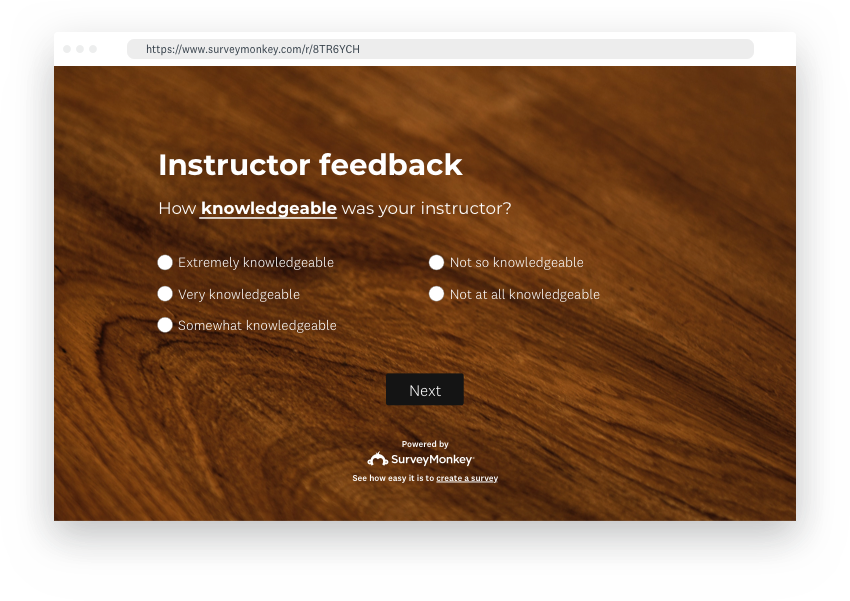
- Logo placement and branded backgrounds: Upload your own images as survey backgrounds to make surveys that truly reflect your brand. Add a header logo and upload/select background images for a professional, familiar look.
- Question layout/positioning (where available): Fine-tune spacing and layout in Style to keep pages clean and scannable.
- White label options: Remove SurveyMonkey branding, use a white-label URL, and hide footers on eligible plans.
- Branded email invitations & custom end pages/redirect: Send on-brand invites and choose what happens after submit, be that a custom end page or redirection to your site.
The bottom line is that SurveyMonkey gives you full control over the look and feel of your surveys, transforming them into engaging, eye-catching questionnaires.
Once you have answers to all your inquiries, our online survey platform helps you gather insights and information to create experiences people love.
Feature-by-plan breakdown
Free
It’s simple and cost-effective to customize your surveys to give survey-takers a better experience. With SurveyMonkey, you get plenty of free, pre-set survey themes to choose from, ranging from clean and simple to a little more fancy. Even with our pre-set survey templates, you’re welcome to tweak the colors, fonts, header logo, and layout to create a clean, credible survey that drives response.
Example: Mrs. Rivera wants to create a survey to get some end-of-semester feedback from students. She uses a free SurveyMonkey account to select a high-contrast preset survey, then switches to a friendly Sans-Serif font, adds the school crest as a small header logo, and sends a weekly class pulse, no design skills required. Get started free.
Premier (Individual/Team)
Pre-event surveys can make the logistics of party planning a whole lot easier. What’s even better is that you can make your survey just as festive as the rest of your party. Upload backgrounds or use built-in images, refine color palettes, save custom themes, and fine-tune layout for a more immersive feel. Plus, SurveyMonkey offers branded invitations with richer HTML styling so your emails can look like your event marketing, creating a cohesive look across mediums.
Example: Jay takes bridal party invitations from good to polished when he selects a festive photo background, dials in a palette that matches the invitation suite, and saves a reusable theme.

Enterprise
Sometimes you need to take full control over how your survey looks, owning the user experience from end to end. That’s where SurveyMonkey comes in, allowing you to save brand palettes, add logos everywhere, remove SurveyMonkey branding, switch to a white-label URL, send branded invites, and customize the end page or redirect to your site. Team libraries help everyone reuse approved assets. Enterprise Primary Admins can even set custom CSS for organization-wide themes.
Example: Amara’s team runs a multi-touch customer satisfaction (CSAT) program on a white-labeled domain, auto-routes respondents to a branded “Thanks” page with help links, and enforces brand-approved colors and typography across every survey.
Ready to get started on a survey that truly represents your brand? Contact us to enable white label and team governance.
Get a brand-true survey in minutes
While everyone has their own individual needs for survey customization, SurveyMonkey makes it easy for you to create a beautiful, more engaging survey to represent your brand.
- Pick or create a theme
Go to Design Survey → Style → Themes. Choose a preset or edit to create your own palette and font pairing; save it for reuse. - Add your logo and background
In Style, upload a header logo and choose an image or color for the background. Keep file sizes modest for fast loads. - Match your colors and fonts
Use Style → Colors & Fonts to align with brand guidelines. Teams can save and share a theme so every survey looks consistent. - Switch on white labeling (eligible plans)
Hide SurveyMonkey footers, change your link to reflect your domain, brand email invitations, and set a custom end page or redirect to your website.
Take your survey to the next level by using themes, branding your survey, and crafting a survey end page. Once you’ve gotten the answers you’re seeking, use our feedback management platform to turn customer responses and insights into actionable improvements.
Why brand your surveys?
Making an engaging, branded survey can go a long way in encouraging your respondents to answer your inquiries. Savvy survey creators take advantage of SurveyMonkey customization features to transform dull assessments into branded reviews that drive engagement. Why bother branding your survey? Key benefits include:
- Trust & recognition: Consistent branding, such as colors, logo, and domain, helps respondents feel confident the survey is legitimate, which can support higher completion. That’s the core promise of white-label experiences: removing third-party marks and, when available, presenting a custom domain that keeps your brand front and center, not the platform’s.
- Continuity reduces drop-off: When your invite, URL, survey header, and end page align with your site, you reduce “Is this really you?” friction—now a market norm across major feedback platforms.
- Governance at scale: On higher plans, teams can lock in brand standards like themes, assets, and even CSS to avoid one-off styling and protect consistency over time.
Common questions about survey customization
Can I customize surveys on a free plan?
Yes! You can apply themes, adjust colors and fonts, and add a logo—great for clean, credible surveys.
What’s the difference between branding and white labeling?
Branding adds your logo, colors, fonts, images, and layouts. White labeling (available for eligible plans) removes SurveyMonkey marks, uses a white-label URL, and lets you control the end page or redirect.
Can teams share themes and assets?
Yes. Higher-tier plans support shared libraries for themes, images, and templates so everyone stays on brand. Enterprise admins can even apply CSS to organization-wide themes.
Will customization affect load times?
You can ensure faster load times by keeping images reasonable in size and choosing optimized backgrounds. Preset or lightweight custom themes offer the fastest setup and performance. See our help docs for best practices.
Bring your brand to every survey experience
Your survey design should reflect the same polish and consistency as your brand. With SurveyMonkey, it’s easy to create surveys that look professional, feel familiar, and boost engagement from the first question to the final click. Start with a theme, upload your logo, and match your colors and fonts for a seamless, on-brand experience in minutes.
Ready to go further? Upgrade to unlock white-label URLs, branded email invitations, custom end pages or redirects, and shared theme libraries that keep every survey consistent across your organization.
Get started free to design your first branded survey today, or contact sales to explore advanced customization and enterprise-level brand governance that elevates every response.